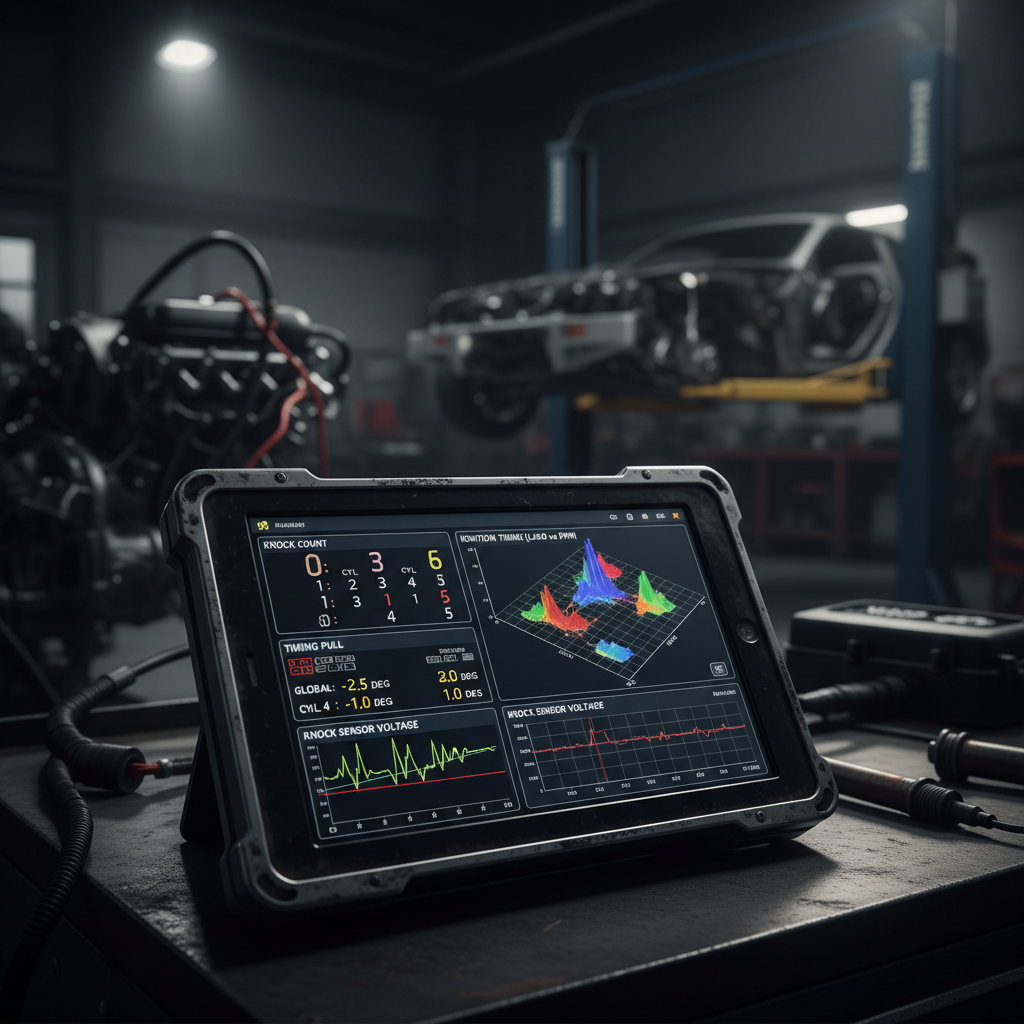
Why Your Accessport Shows No Knock But ECU Logs 47 Timing Pulls
Your Accessport displays clean knock readings, but dig into your ECU’s timing correction logs and you’ll find dozens of pull events your handheld never showed you. This isn’t a software glitch, it’s the fundamental difference between consumer monitoring and professional diagnostics. The data your Accessport can’t see is exactly what separates a safe tune from an expensive lesson.
- Accessports display simplified knock metrics while ECUs log detailed timing corrections, feedback knock, and fine knock learning
- Professional diagnostic tools access 10-15 timing-related parameters vs the 2-3 your Accessport shows
- ECU timing pulls often occur below Accessport detection thresholds, creating invisible performance losses
- Fine knock learning adjustments accumulate over time, permanently reducing your engine’s timing advance
- Real tuning requires monitoring knock sum, timing corrections per cylinder, and learning values simultaneously
Knock detection systems: Multi-layered engine protection that uses piezoelectric sensors to detect combustion abnormalities, with consumer tools showing only basic knock counts while ECUs track detailed timing corrections, learning adaptations, and cylinder-specific events.
What Your Accessport Actually Shows You
Your Accessport displays knock count and feedback knock correction, maybe fine knock learning if you’re lucky. That’s 2-3 parameters out of the 15+ timing-related values your ECU tracks every combustion cycle. The Accessport’s knock count only increments when the ECU detects severe knock events that exceed its programmed threshold, typically around 35-40 on the knock sensor scale.
But your ECU makes timing decisions based on much more than just severe knock events. It’s constantly monitoring combustion pressure waves, comparing them to stored knock maps, and making micro-adjustments to timing advance. These adjustments happen in 0.25-degree increments, often falling below the Accessport’s display resolution or update frequency.
The feedback knock correction your Accessport shows represents immediate timing pulls, but it resets to zero once the knock event passes. Fine knock learning, when displayed, shows longer-term adaptations but updates slowly and doesn’t reveal the frequency of learning events. You’re seeing the final result, not the process that got you there.
What Professional Diagnostics Reveal in the Data
Professional diagnostic software accesses the ECU’s complete timing dataset. Where your Accessport shows knock count at 0, the ECU logs might show 47 individual timing correction events over the past week. Each event represents a moment when combustion exceeded the ECU’s acceptable parameters, even if it didn’t trigger the severe knock counter your Accessport monitors.
The ECU tracks timing corrections per cylinder, knock sum values, learning progression rates, and correction frequency. A typical professional datalog reveals timing pulls of 1-3 degrees on cylinders 2 and 4 during 15-18 PSI (103-124 kPa) boost, while your Accessport shows feedback knock correction at zero because the individual events were below its threshold.
These micro-corrections accumulate in the fine knock learning tables. Over 500 miles of driving with frequent small timing pulls, your ECU might reduce base timing advance by 4-6 degrees in specific load cells. Your peak power drops from 285whp to 267whp, but your Accessport never showed a knock event because each individual correction was minor.
Professional tools also reveal knock sensor voltage patterns, timing advance maps in real-time, and the relationship between intake air temperature, boost pressure, and knock sensitivity. This data shows you why knock occurs, not just when.
How to Actually Use This Hidden Timing Data
Start by logging complete timing datasets during your normal driving routine, not just dyno pulls. The ECU’s learning behavior during part-throttle cruise and moderate acceleration often predicts full-boost knock sensitivity. If you’re seeing consistent 1-degree timing pulls at 40% throttle, expect significant corrections under full load.
Monitor knock sum values alongside timing corrections. Knock sum represents the cumulative intensity of detected events. Values consistently above 10-15 indicate your tune is operating too close to the knock threshold, even if individual events don’t trigger visible corrections on your Accessport.
Track learning progression over time. Fresh fine knock learning tables start near zero. If specific load cells show -3 to -5 degrees of learned timing reduction after 200 miles, your base tune needs adjustment regardless of what your knock count displays.
Use cylinder-specific timing data to identify mechanical issues. Consistent timing corrections on cylinder 3 while others run clean might indicate a carbon buildup issue, not a tuning problem. This level of diagnosis is impossible with basic monitoring tools.
What Goes Wrong When You Miss These Timing Details
Tuning by Accessport data alone creates a false sense of security. Your knock count stays at zero while your ECU systematically reduces timing advance to prevent damage. You lose 15-20 horsepower over months of driving without realizing it because the power loss is gradual and the Accessport never alerts you to the underlying timing corrections.
Worse, you might increase boost pressure or advance base timing thinking your tune is conservative because your knock readings look clean. The ECU’s hidden timing pulls were the only thing keeping your engine safe. Remove that safety margin by pushing the tune harder, and you’ll discover those invisible knock events very quickly.
Competition drivers face this regularly. Their Accessport shows clean runs all day, but post-event data analysis reveals dozens of timing correction events that cost them 0.3-0.5 seconds per lap. That performance was recoverable if they’d known to address the underlying knock sensitivity causing the corrections.
The most expensive mistake is assuming professional tuning is unnecessary because your basic monitoring looks good. A proper tune accounts for the ECU’s complete timing behavior, not just the simplified version your consumer tools display.
How often does the ECU pull timing without showing knock on an Accessport?
The ECU makes timing corrections constantly, typically 10-50 small adjustments per drive cycle depending on conditions and tune aggressiveness. Most of these corrections fall below Accessport detection thresholds, which only display significant knock events or feedback corrections above 1-2 degrees. Professional diagnostics reveal that timing corrections of 0.25-0.75 degrees happen frequently without triggering visible knock counts, especially during transitions between load states or when intake temperatures climb above 35°C.
What’s the difference between feedback knock correction and fine knock learning?
Feedback knock correction represents immediate timing reduction in response to detected knock, typically pulling 2-8 degrees instantly then gradually returning to base timing. Fine knock learning is the ECU’s long-term adaptation, permanently reducing base timing in specific load cells based on repeated knock events. Feedback corrections reset after each drive cycle, but learning values persist until manually cleared or overwritten by consistent knock-free operation in those same conditions.
Can hidden timing pulls damage my engine even if knock count stays zero?
Hidden timing pulls are actually protecting your engine, not damaging it. The ECU reduces timing advance when it detects combustion irregularities below the severe knock threshold. However, consistent timing corrections indicate your tune is operating too close to the knock limit. While the immediate pulls prevent damage, running constantly at the edge of knock sensitivity increases long-term wear and reduces performance as the ECU learns to run more conservative timing.
Why do professional tuners charge more for datalog analysis than basic OTS tunes?
Professional datalog analysis examines 50-100+ ECU parameters simultaneously, including timing corrections, learning adaptations, sensor voltages, and combustion pressure patterns that consumer tools can’t access. This comprehensive analysis identifies tune optimization opportunities and potential mechanical issues that basic monitoring misses. The time investment for proper analysis is 3-5 hours per session versus 30 minutes for loading an off-the-shelf map, and the diagnostic equipment costs $3000-8000 versus $600 for an Accessport.
Understanding what your monitoring tools actually show you is the first step toward real performance tuning. Your Accessport serves its purpose for basic monitoring, but professional diagnostics reveal the complete picture your ECU sees every combustion cycle. That hidden data is where the real tuning opportunities live, and where TorqueMetrics helps you bridge the gap between consumer monitoring and professional analysis.